
RBAC Configuration Guide
This guide explains how to configure Role-Based Access Control (RBAC) in KubeOsprey to efficiently manage user permissions and resource access.
Overview
KubeOsprey's RBAC system supports:
- Defining custom roles with specific permissions
- Assigning roles to users or OAuth groups
- Flexible access control at cluster, namespace, and resource levels
- Specifying allowed operations (verbs) for each role
Configuration
Users with the admin role can access the settings entry in the upper right corner of the page.
The system provides two default roles that cannot be edited or deleted:
- admin: Has full permissions to manage all resources
- viewer: Has permissions to view all resources and logs
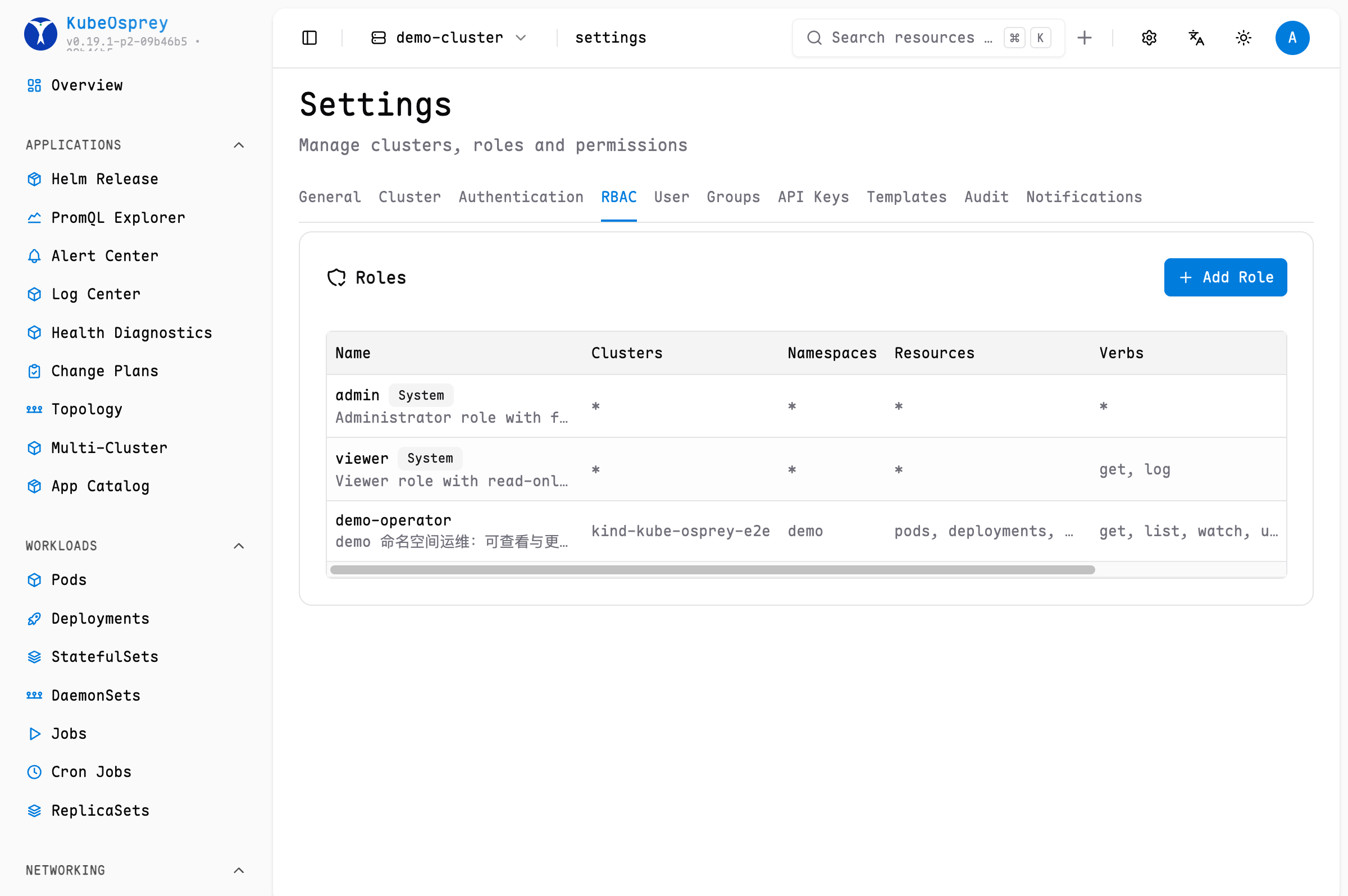
Each role can specify the following fields:
| Field | Description | Example |
|---|---|---|
name | Role identifier | admin, viewer |
description | Brief description (optional) | Administrator role with full access |
clusters | Applicable clusters | !prod, dev means can access dev but not prod |
resources | Accessible resources | pods, deployments for specific resources |
namespaces | Applicable namespaces | !kube-system, * means can access all namespaces except kube-system |
verbs | Allowed operations | get for read-only operations |
Supported Operation Verbs
- Common resources:
get,create,update,delete - Pod-specific:
exec,log(for pod terminal and log access) - Node-specific:
exec(for node terminal access) - Wildcard:
*(all operations)
Mapping Roles to OAuth Groups
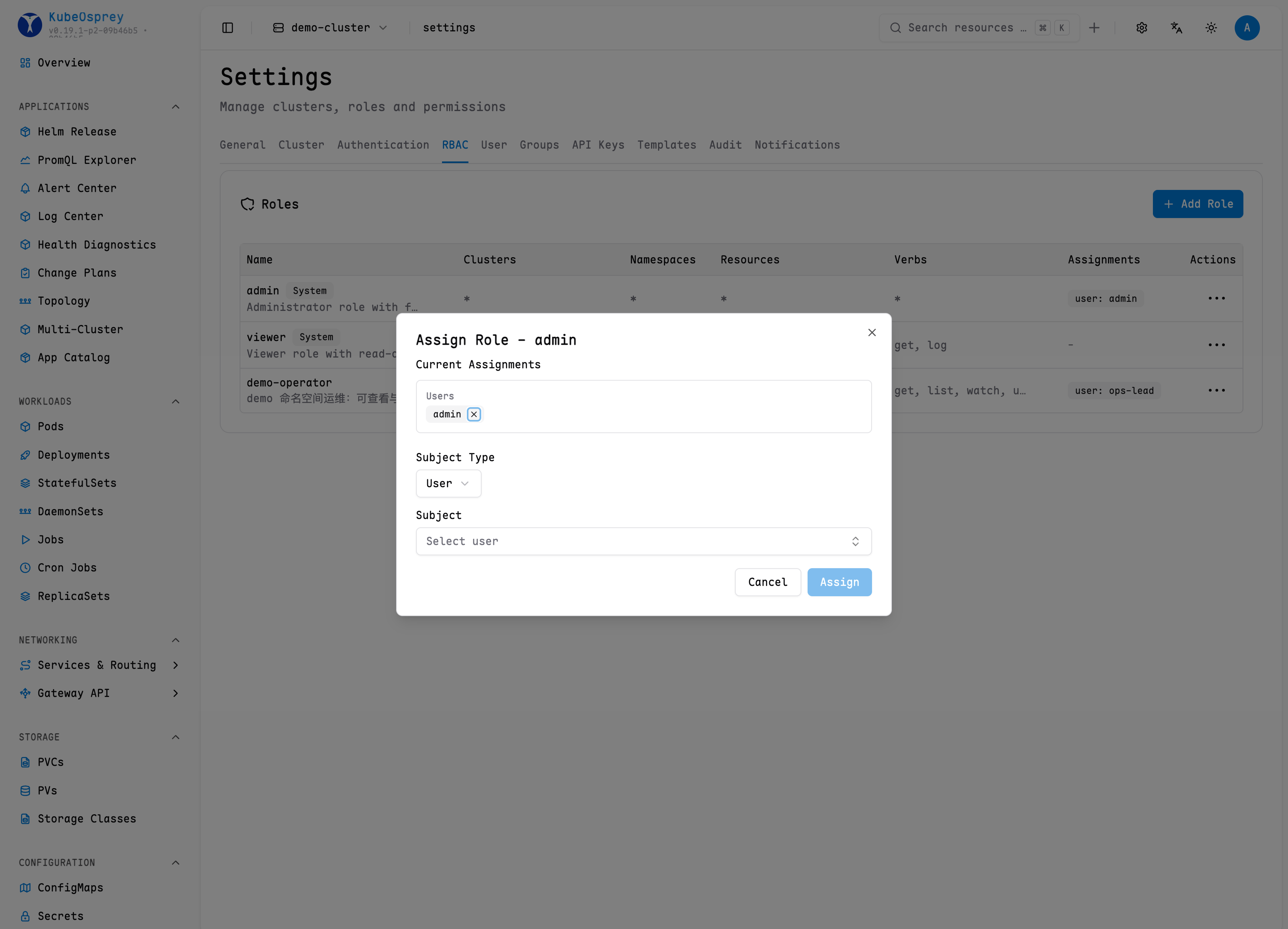
You can assign roles to specific OAuth groups, so that all users in the group automatically inherit the corresponding permissions.
Note: Some OAuth groups may not be able to return user group and permission information. It is recommended to use the DEX project as a relay. Please ensure that the OAuth scope includes groups or roles.
You can configure or cancel group mapping in Role Actions.
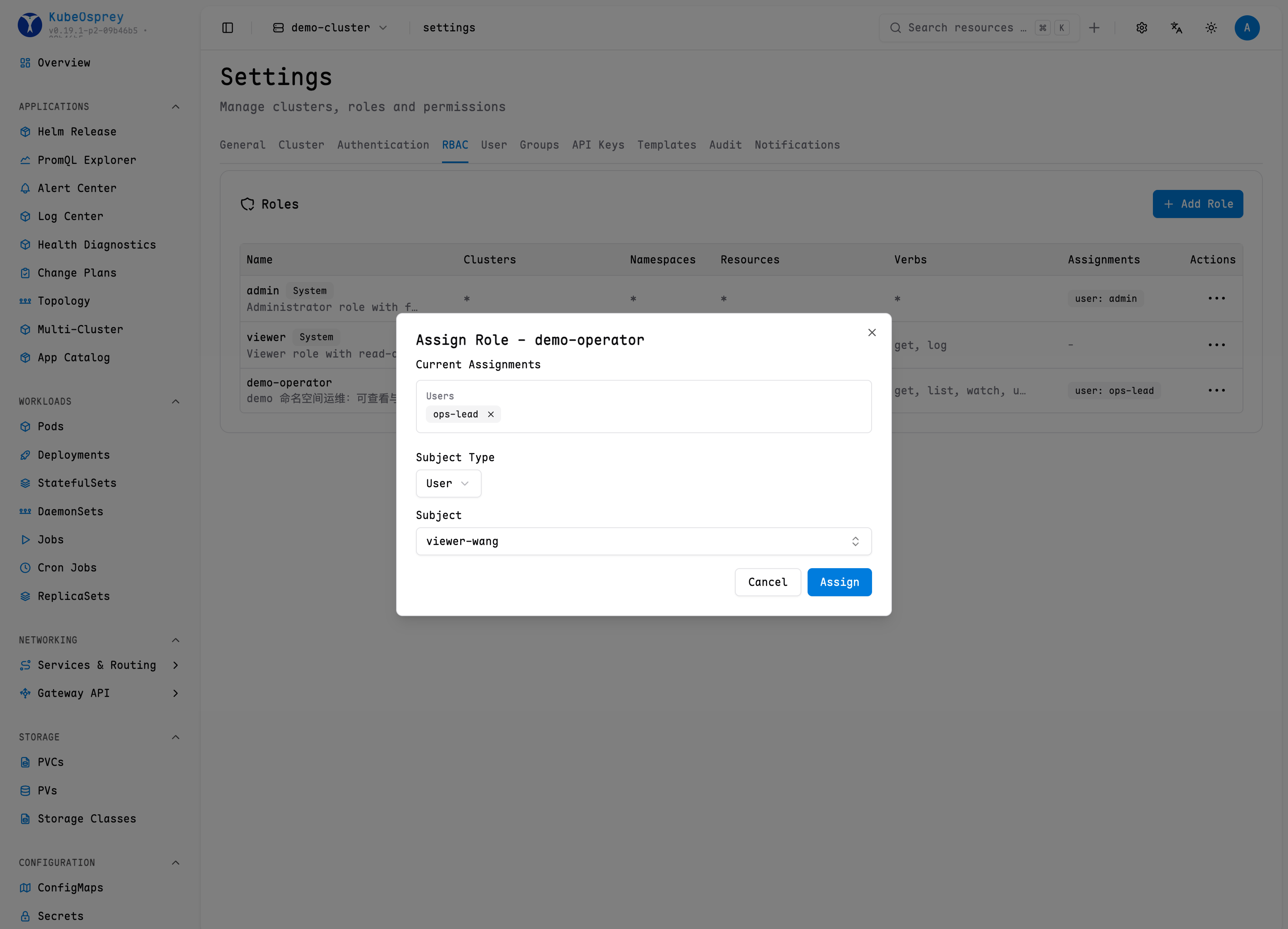
Mapping Roles to Users
You can assign roles to specified users to give them corresponding permissions.
Role Assignment Expiry
When assigning a role (from Settings → RBAC), administrators can set an optional expiry time for the assignment. After the expiry time passes, the assignment stops granting the role immediately on the next permission check — no re-sync or manual cleanup is required.
Re-assigning the same user or group updates the assignment, so you can extend or clear the expiry this way.
The underlying API is POST /api/v1/admin/roles/:id/assign; its request body accepts an optional expiresAt (RFC 3339 timestamp). See RBAC Management API.
Example Scenarios
Scenario 1: Testing Environment
Can access resources in all test, beta namespaces, but prohibits updates and deletions.
Configuration example:
clusters: *
resources: *
namespaces: test, beta
verbs: !delete, !update, *
Scenario 2: Cluster Administrator
Assign full operation permissions to the test-cluster cluster administrator.
Configuration example:
clusters: test-cluster
resources: *
namespaces: *
verbs: *
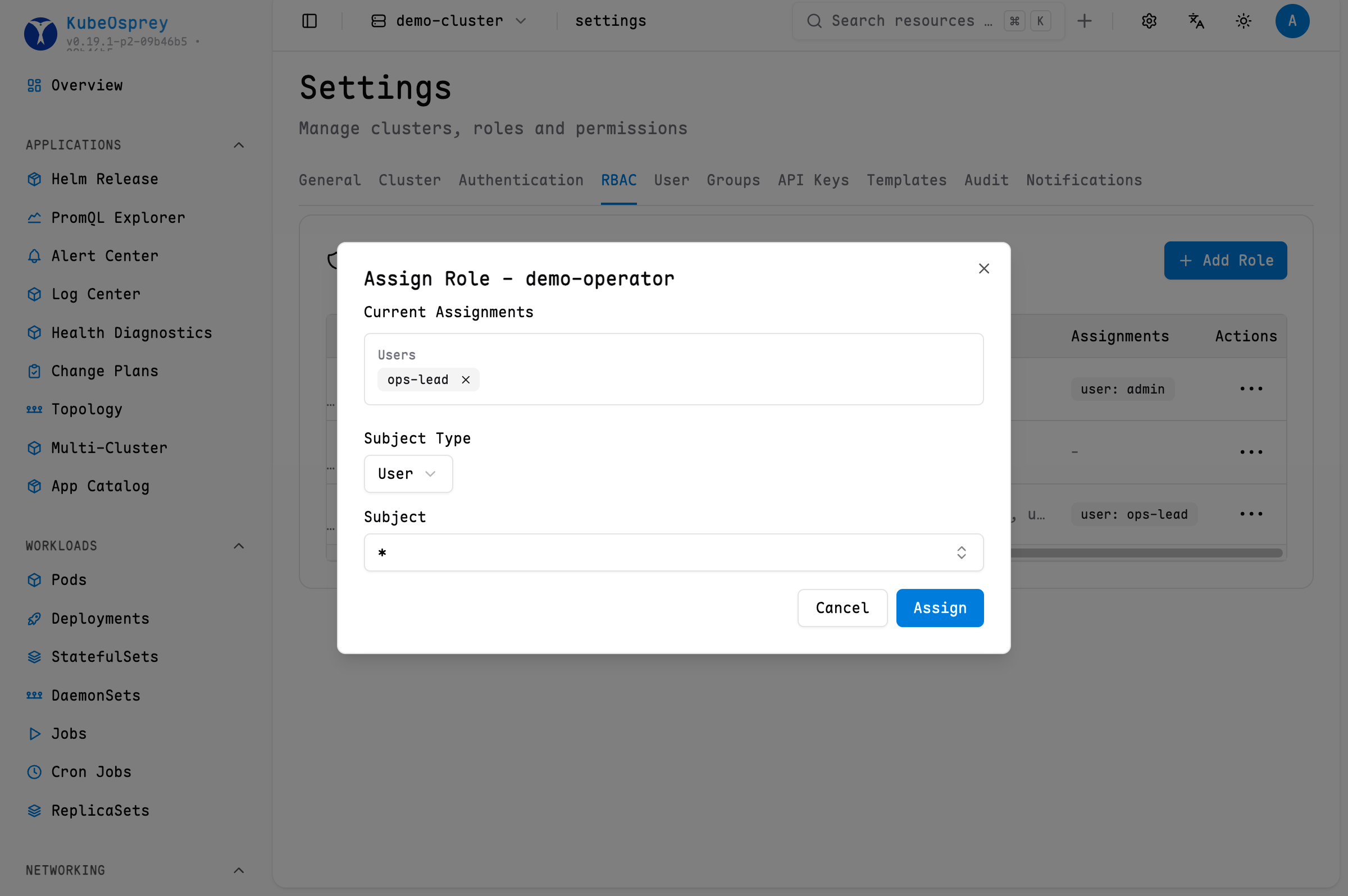
Scenario 3: Setting Default Roles for All OAuth Users
When your OAuth provider is trustworthy, such as a company's internal OA system. You can select a role and set the username to * to assign that role. See the example:
Best Practices
- Principle of Least Privilege: Only assign necessary permissions to roles
- Prioritize Namespace Roles: Try to restrict access to specific namespaces
- Avoid Wildcard Users: In production environments, explicitly specify users and avoid using
"*" - Regular Auditing: Regularly check and optimize role mappings
- Test Access: Verify permission effects promptly after changes
Common Questions
- The
Describeaction only checks the current user'sgetpermission on the target resource. The Kubernetes describer runs queries using the cluster credentials configured in KubeOsprey, and its output may include Events and related resource summaries. KubeOsprey does not perform separate RBAC checks for this additional information.