
概述
Azure Monitor Provider 将 Keep 与 Azure Monitor 集成,允许您在 Keep 平台上接收告警。通过在 Azure 中设置 webhook,您可以确保关键告警被发送到 Keep,从而实现高效的监控和响应。
将 Azure Monitor 连接到 Keep
将 Azure Monitor 连接到 Keep 需要在 Azure 中创建一个操作组、添加 webhook 操作,以及配置告警规则以使用新的操作组。
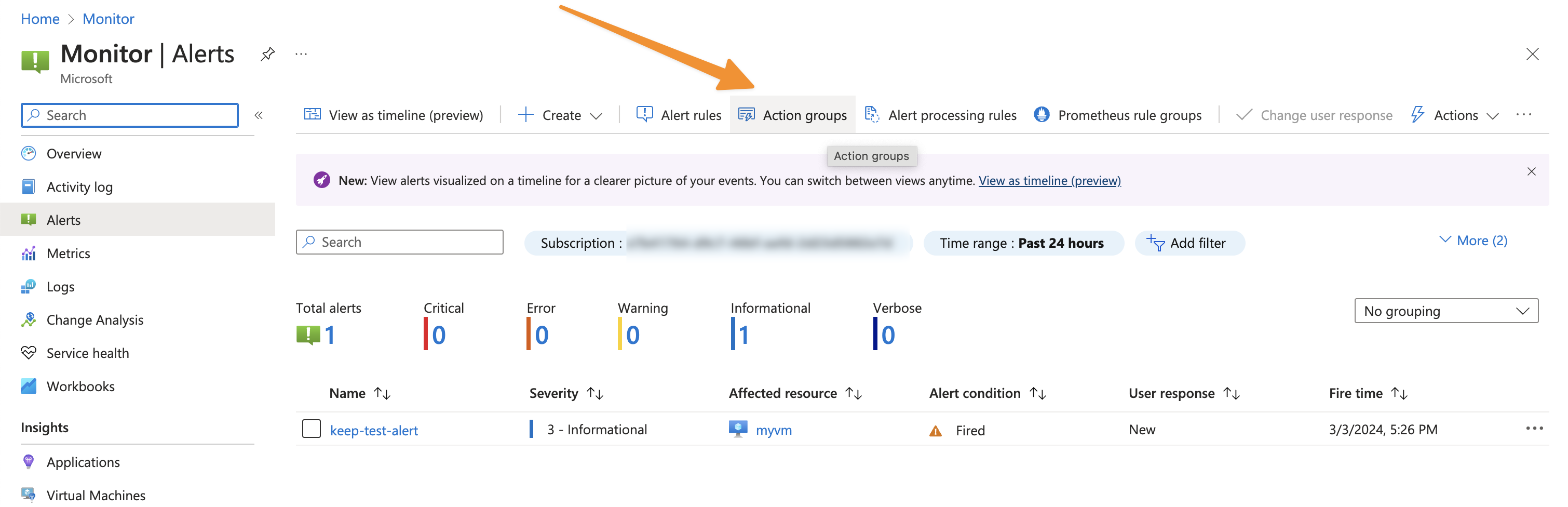
步骤 1:导航到操作组
- 登录您的 Azure 门户。
- 导航到 Monitor > Alerts > Action groups。
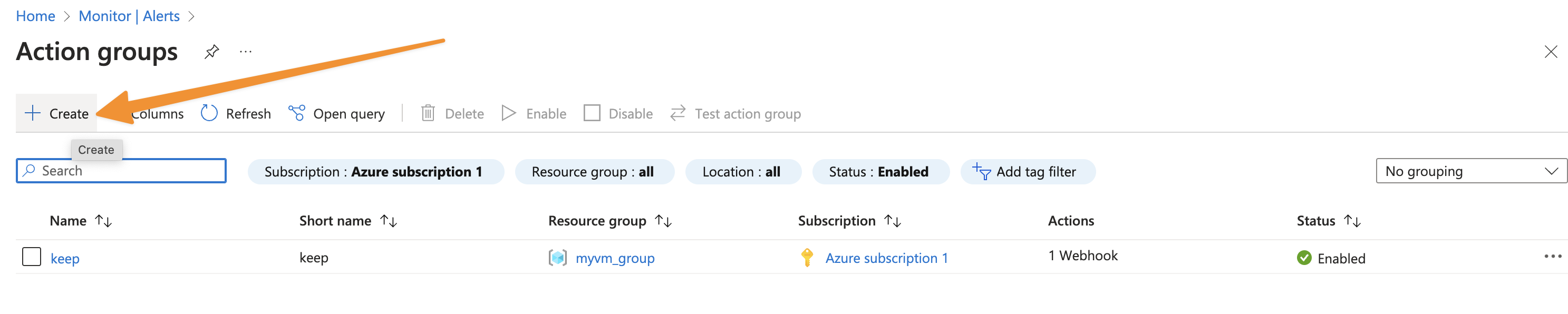
步骤 2:创建新的操作组
- 点击 + Create。
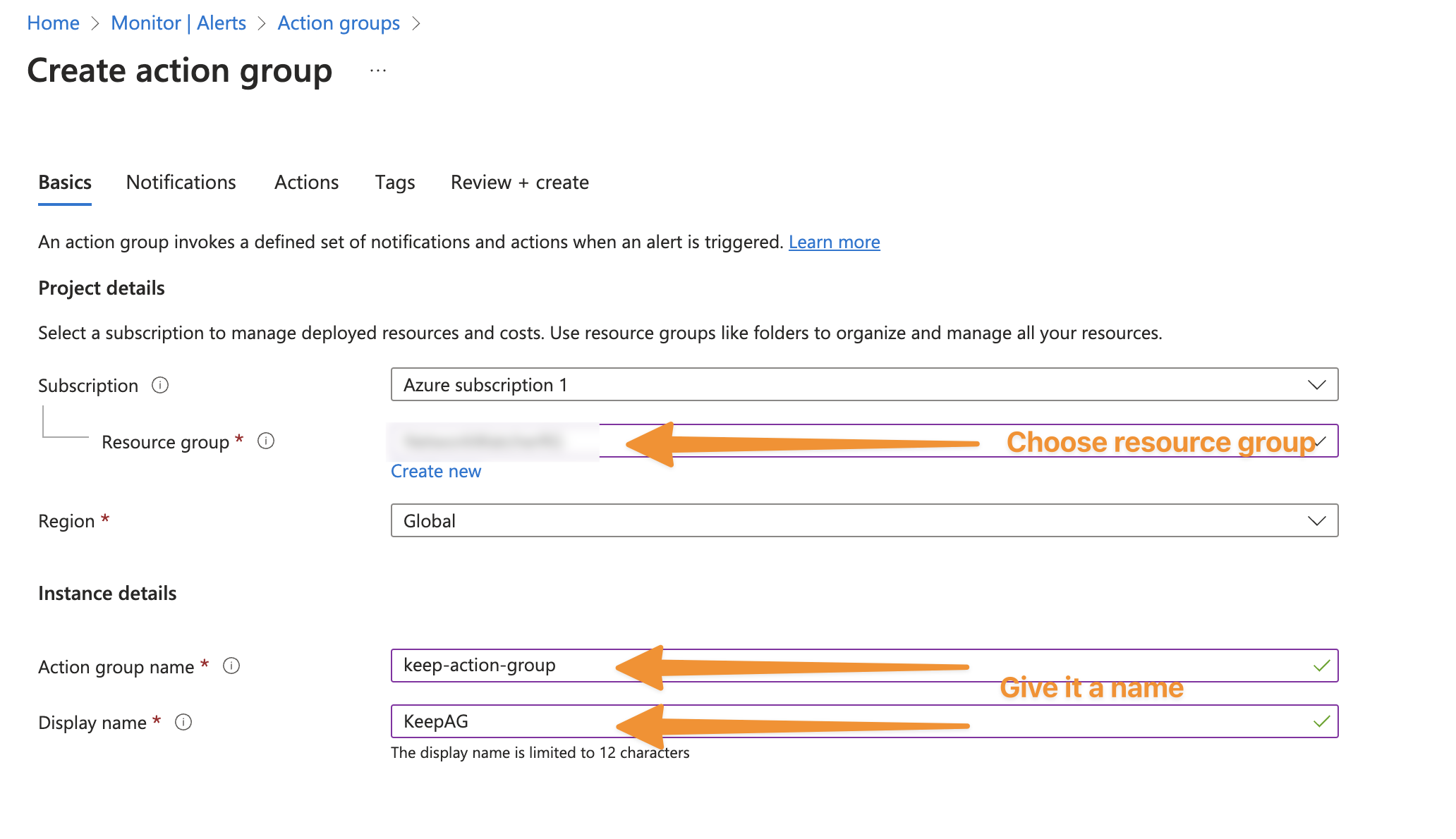
步骤 3:填写操作组详情
- 选择订阅和资源组。
- 为操作组指定一个有代表性的名称。
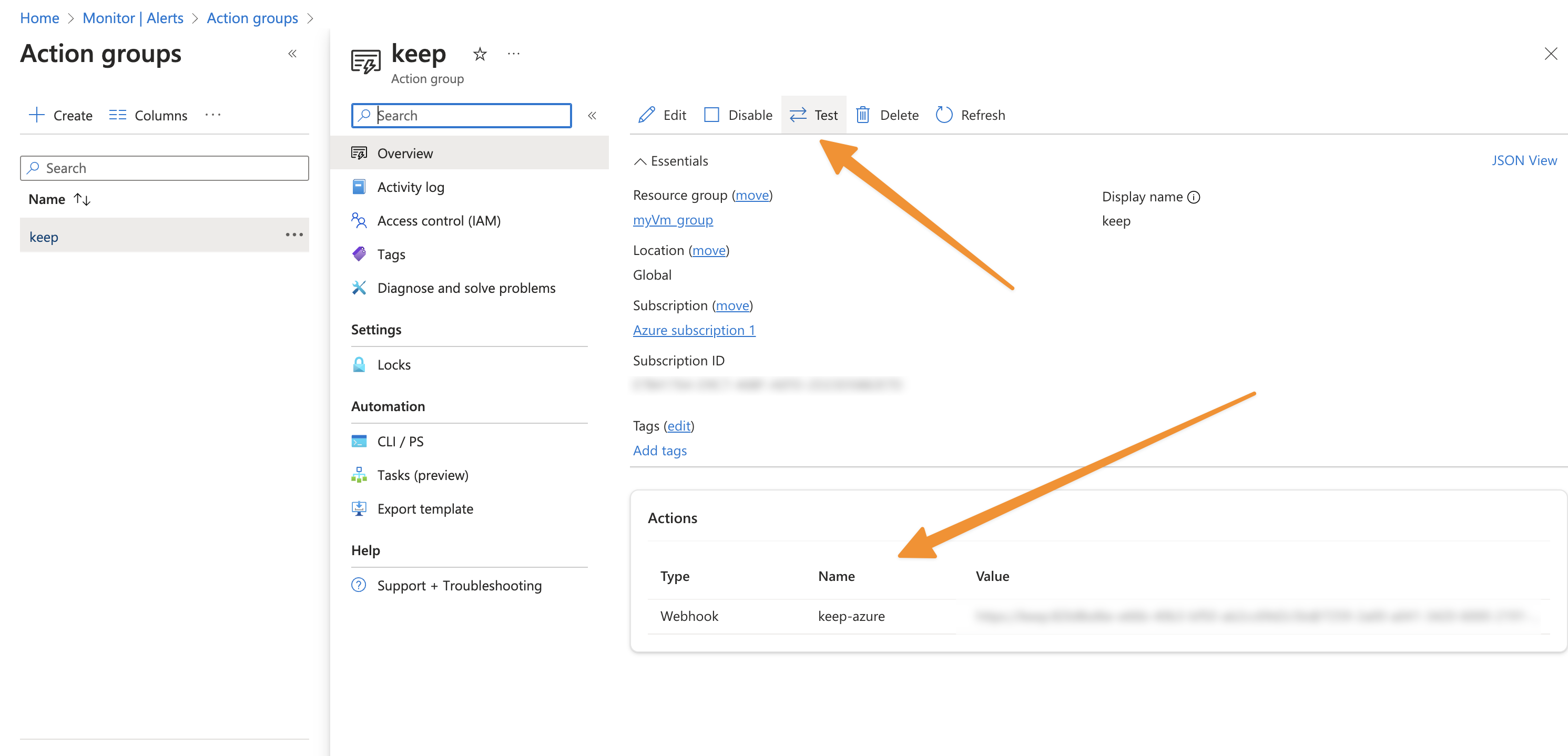
步骤 4:进入"操作"并添加 Keep 作为 Webhook
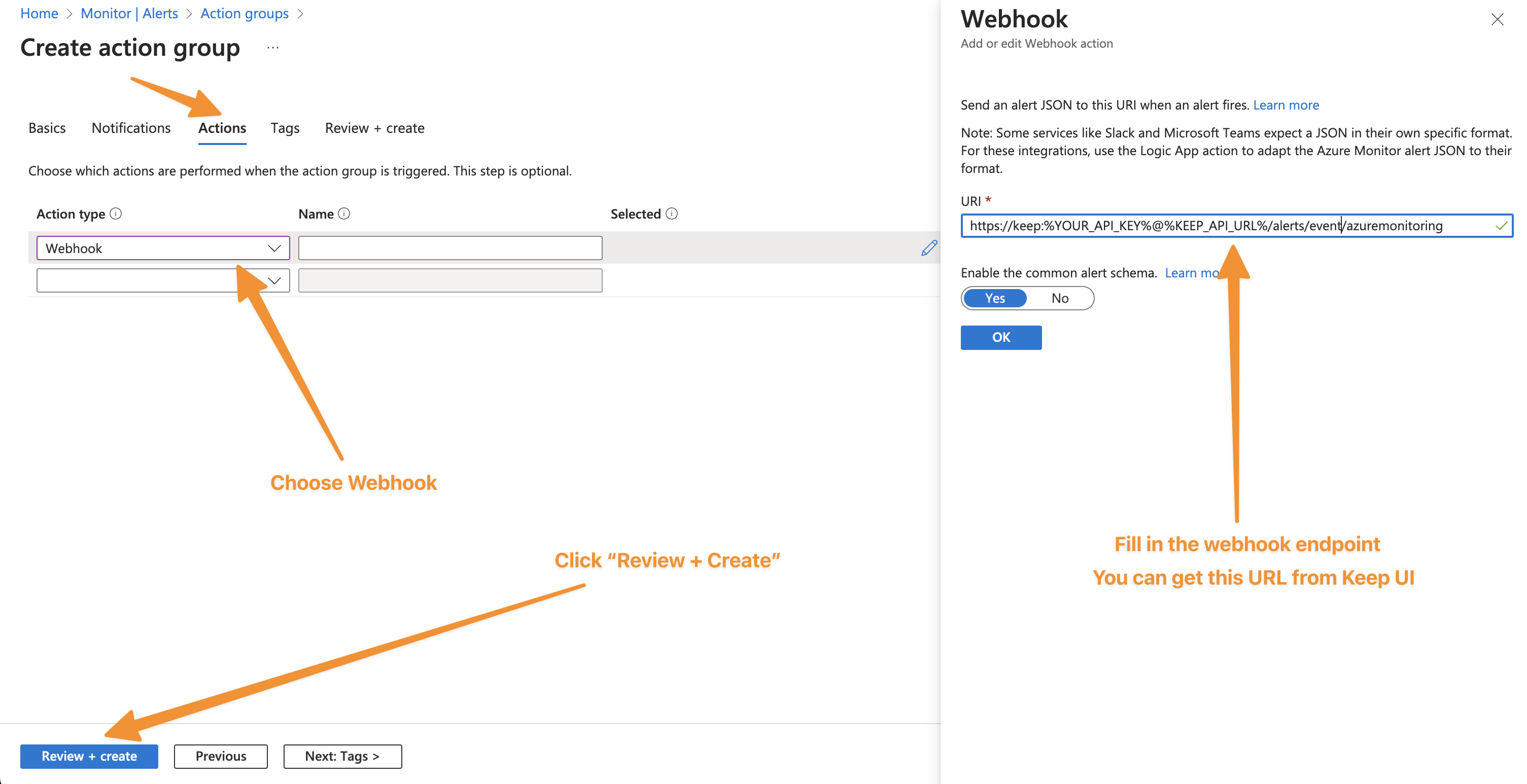
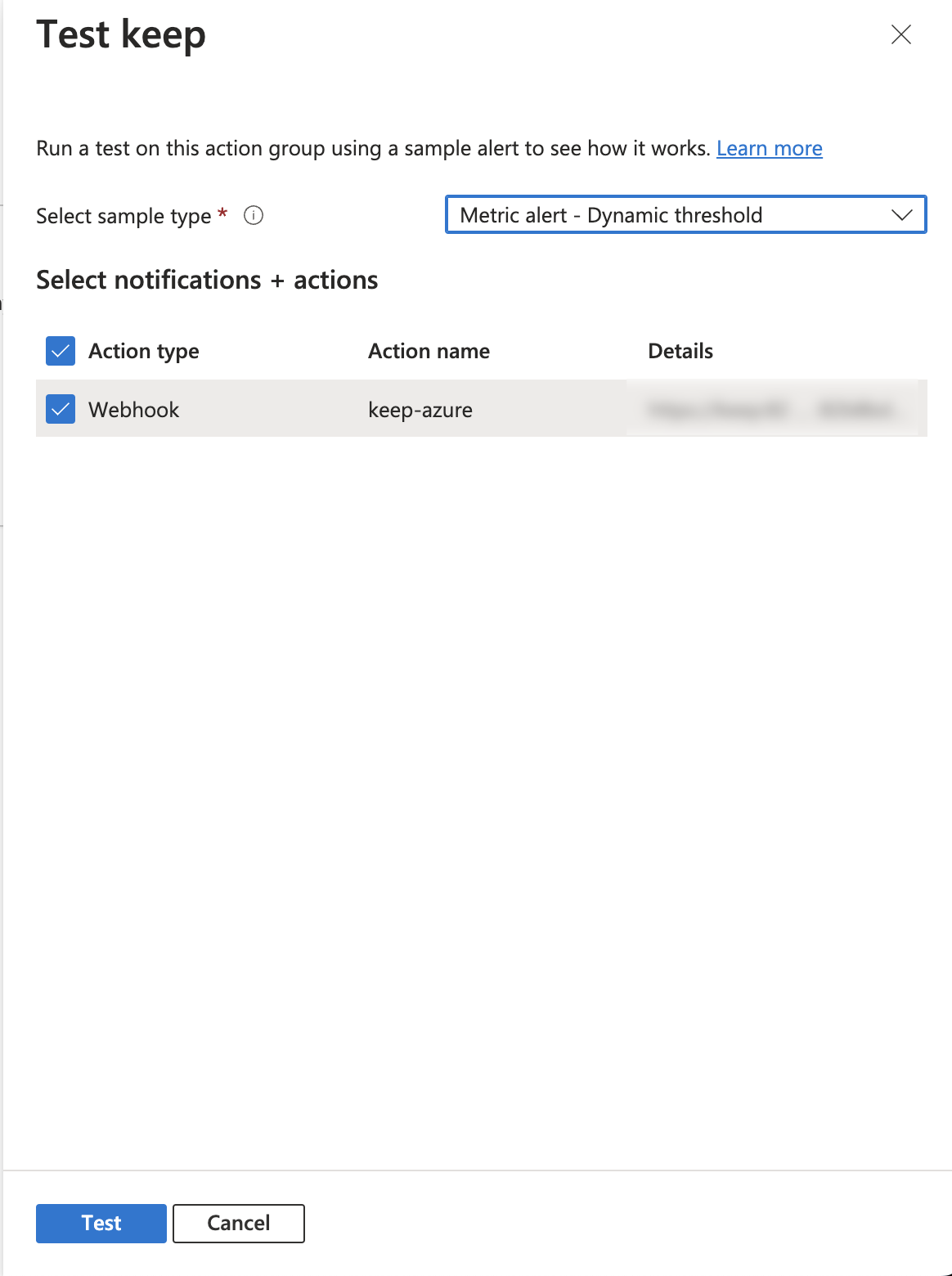
步骤 5:测试 Keep Webhook 操作
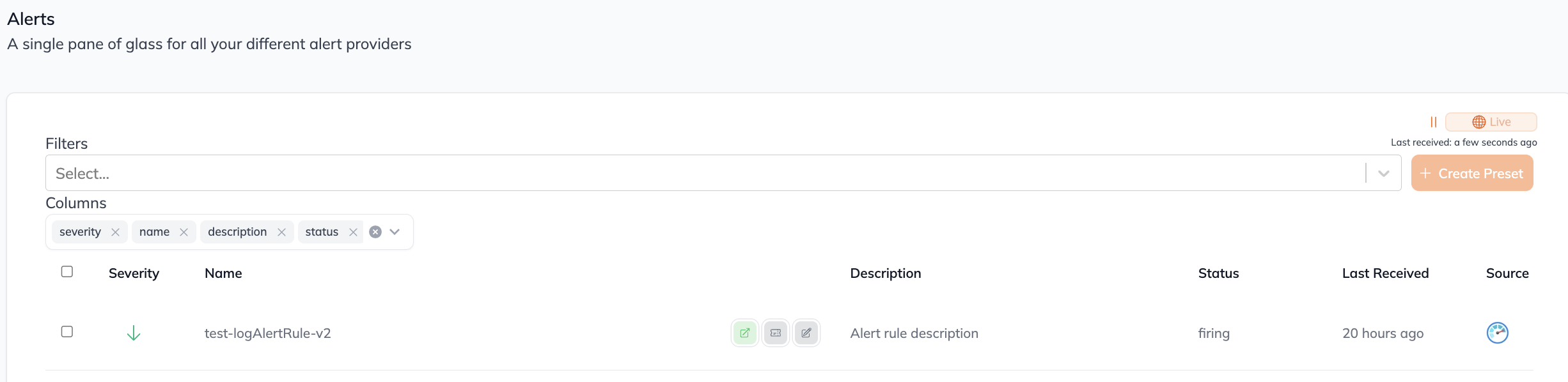
步骤 6:在 Keep 中查看告警
在工作流中
此提供商不能用作工作流中的"步骤"或"操作"。如果您想使用它,请通过在 GitHub 仓库 创建问题告诉我们。
通过 Webhook 连接(双向)
此提供商支持 webhook。
要将警报从 Azure Monitor 发送到 Keep,请使用以下 webhook URL 配置 Azure Monitor 将警报发送到 Keep:
- 在 Azure Monitor 中,创建一个新的操作组。
- 在操作组中,添加一个类型为"Webhook"的新操作。
- 在 Webhook 操作中,使用以下设置配置 webhook。
- 名称: keep-azuremonitoring-webhook-integration
- URL: 您的 Keep 后端 URL
- 保存操作组。
- 在警报规则中,配置操作组使用步骤 1 中创建的操作组。
- 保存警报规则。
- 测试警报规则以确保警报正在发送到 Keep。