title: "Zoom Chat" sidebarTitle: "Zoom Chat Provider" description: "Zoom Chat provider allows you to send Zoom Chats using the Incoming Webhook Zoom application."
TIP
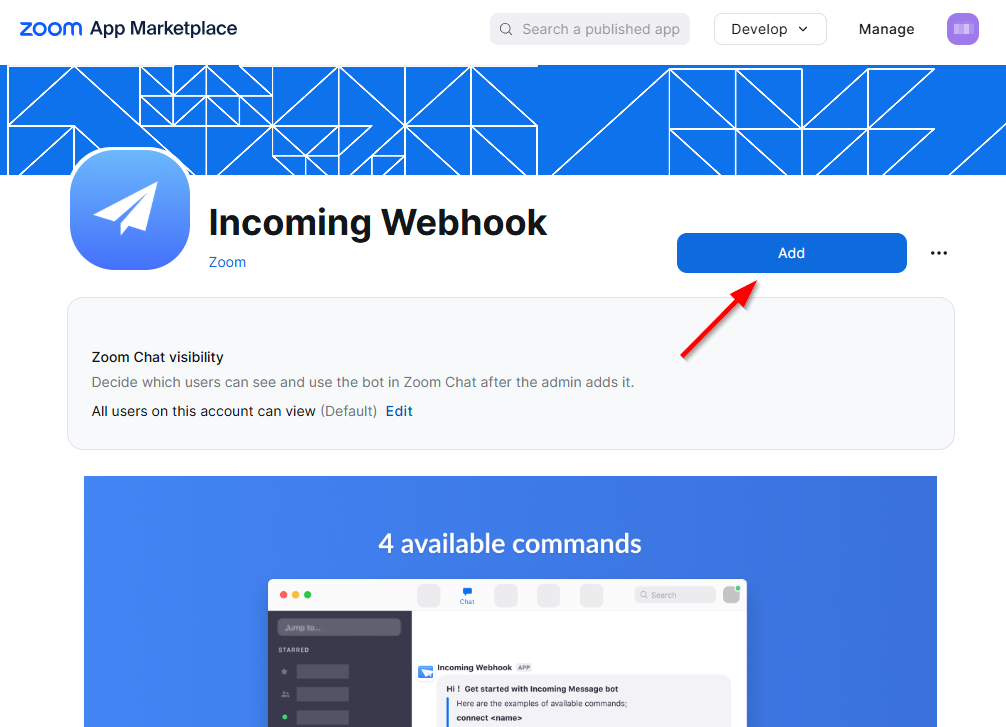
For this integration, you will need to add and configure the Incoming Webhook application from the Zoom App Marketplace: https://marketplace.zoom.us/apps/eH_dLuquRd-VYcOsNGy-hQ
认证
此提供商需要身份验证。
- webhook_url: Zoom 传入 Webhook 完整格式 URL(必需:True,敏感:True)
- authorization_token: 传入 Webhook 授权令牌(必需:True,敏感:True)
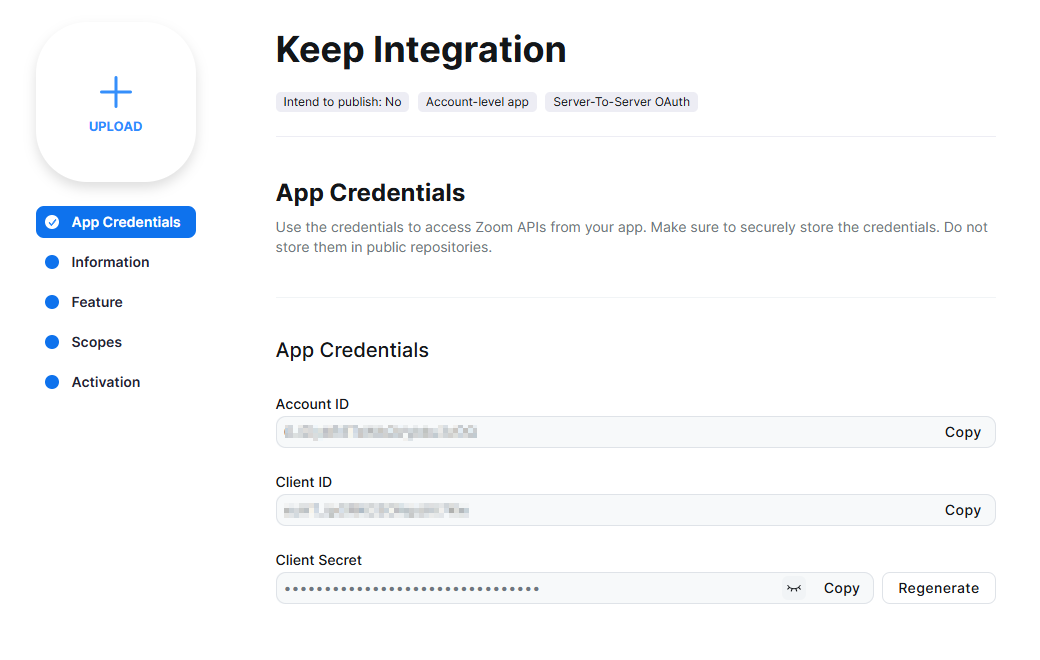
- account_id: Zoom 账户 ID(必需:False,敏感:True)
- client_id: Zoom 客户端 ID(必需:False,敏感:True)
- client_secret: Zoom 客户端密钥(必需:False,敏感:True)
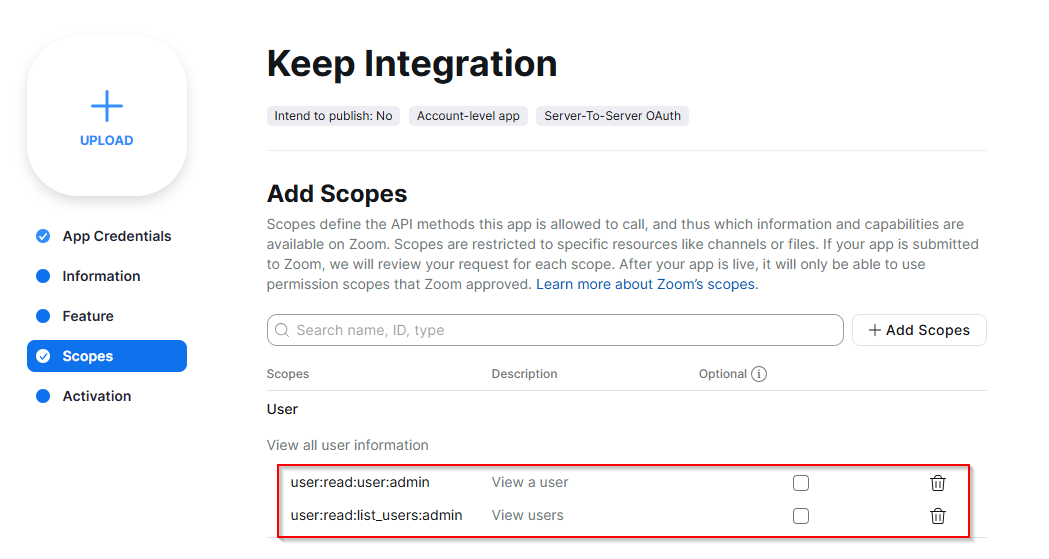
某些范围可能需要才能通过提供商执行特定操作或查询。以下是相关范围及其用例的摘要:
- user:read:user:admin: 查看 Zoom 用户详情
- user:read:list_users:admin: 列出 Zoom 用户
在工作流中
此提供商可用于工作流。
作为"操作"来进行更改或更新数据,示例:
actions:
    - name: Query zoom_chat
      provider: zoom_chat
      config: "{{ provider.my_provider_name }}"
      with:
        severity: {value}  # 警报的严重程度。
        title: {value}  # 消息的标题。(可选)
        message: {value}  # 要发送的文本消息。支持 Markdown 格式。
        tagged_users: {value}  # 要标记的 Zoom 用户电子邮件地址列表。(可选)
        details_url: {value}  # 链接到更多信息的 URL。(可选)
请查看以下工作流示例:
连接 Provider
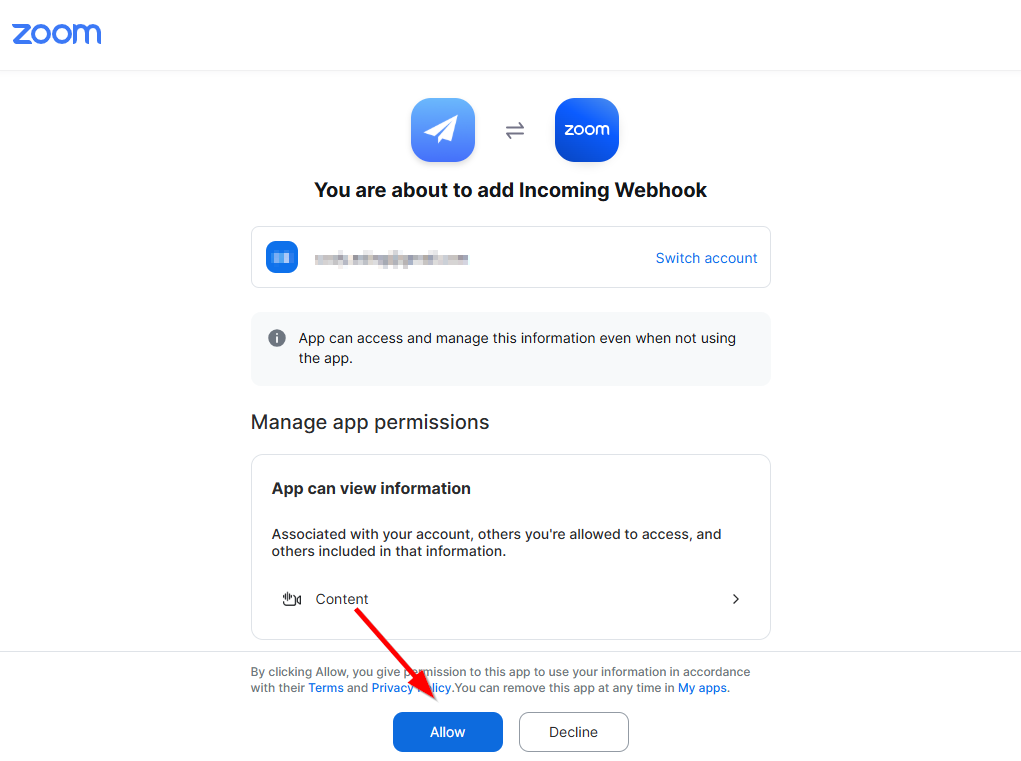
Enable the Incoming Webhook Application
The Incoming Webhook application is available in the Zoom App Marketplace.
Create Team Chat Channel:
This channel will be the recipient of the Keep notifications.
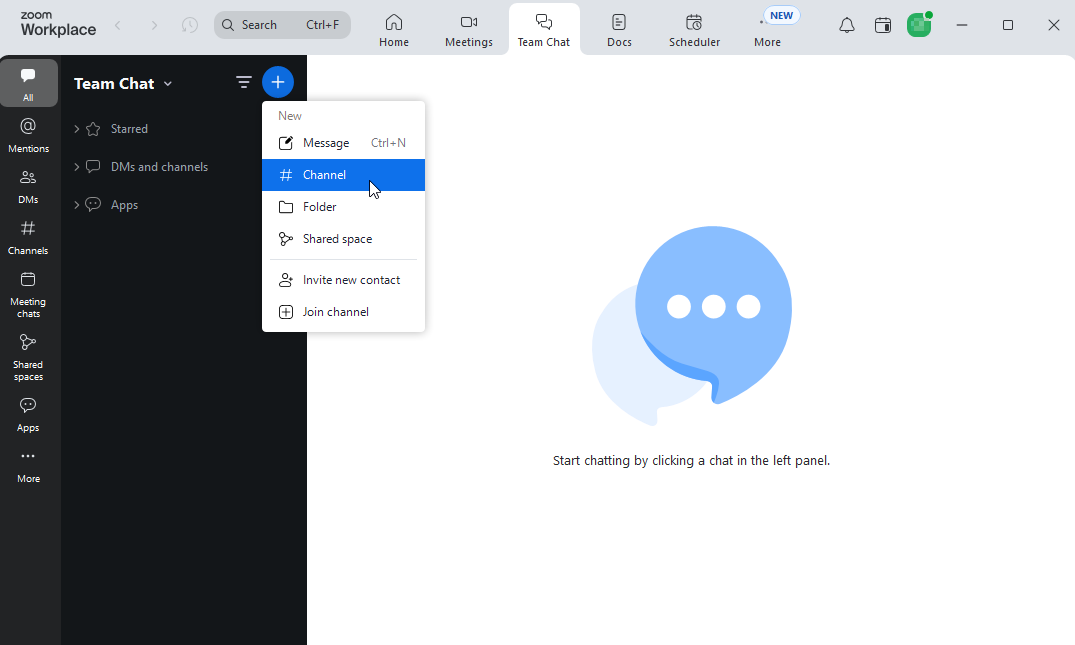
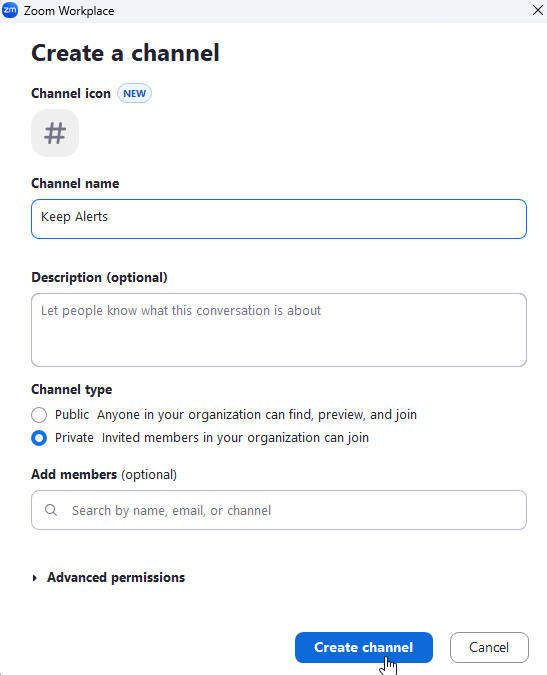
Enable the Incoming Webhook Application
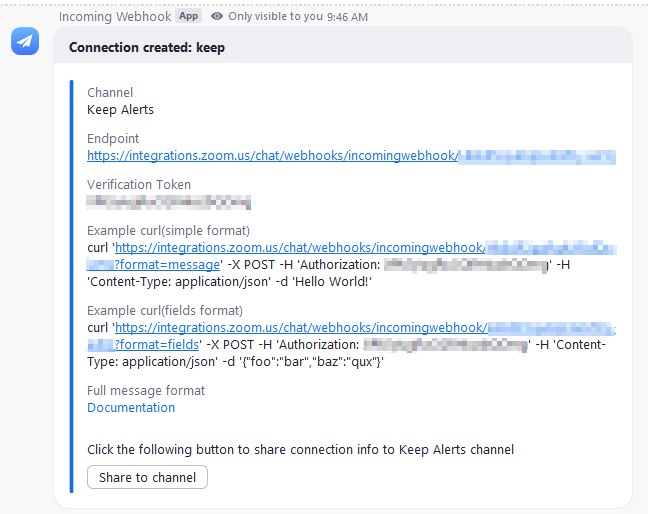
Send /inc connect <connection name> to the channel to 启用 a webhook with authorization code. The app will respond with the webhook url and authorization code.
TIP
You should use the "Full Format" Incoming Webhook Url, which ends in ?format=full.

(可选) Enabling User JID Lookup
Messages can optionally include Zoom user JIDs, which are used to tag a particular Zoom user in a message. This is useful, for example, if a team subscribes to a chat channel but members only wish to be notified when they are explicitly tagged.
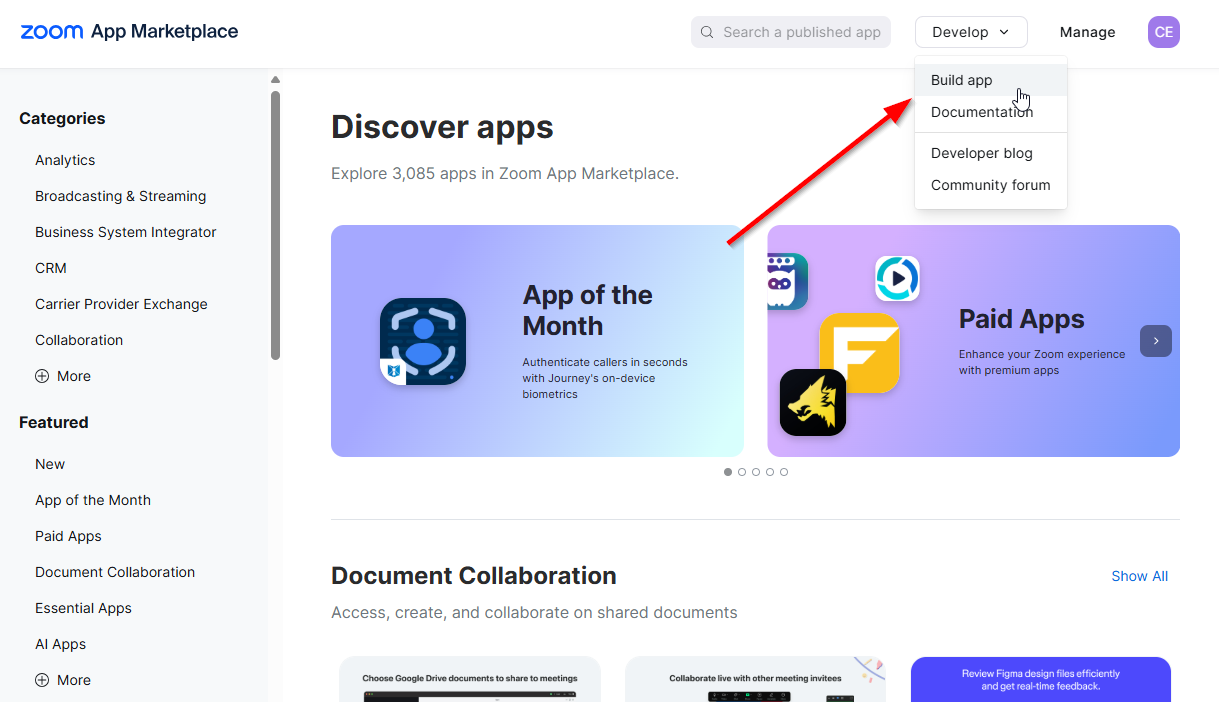
Create a Zoom Application
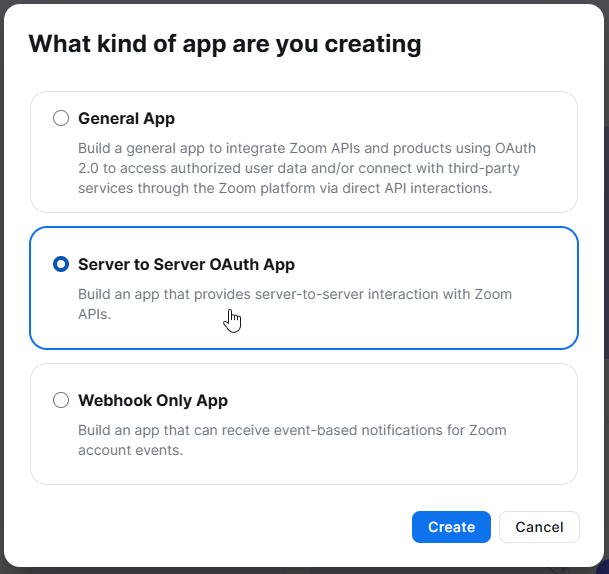
User lookup requires authorization. Create an internal only, Zoom Server to Server OAuth application.
Assign 必填 Scopes