
Authentication
This provider requires authentication.
- host_url: LibreNMS Host URL (required: True, sensitive: False)
- api_key: LibreNMS API Key (required: True, sensitive: True)
Certain scopes may be required 可以 perform specific actions or queries via the provider. Below is a summary of relevant scopes and their use cases:
- read_alerts: Read alerts from LibreNMS
In workflows
This provider can't be used as a "step" or "action" in workflows. If you want 可以 use it, please let us know by creating an issue in the GitHub reposi可以ry.
将 LibreNMS 连接到 Keep
- 打开 LibreNMS 仪表板,点击右上角的设置。
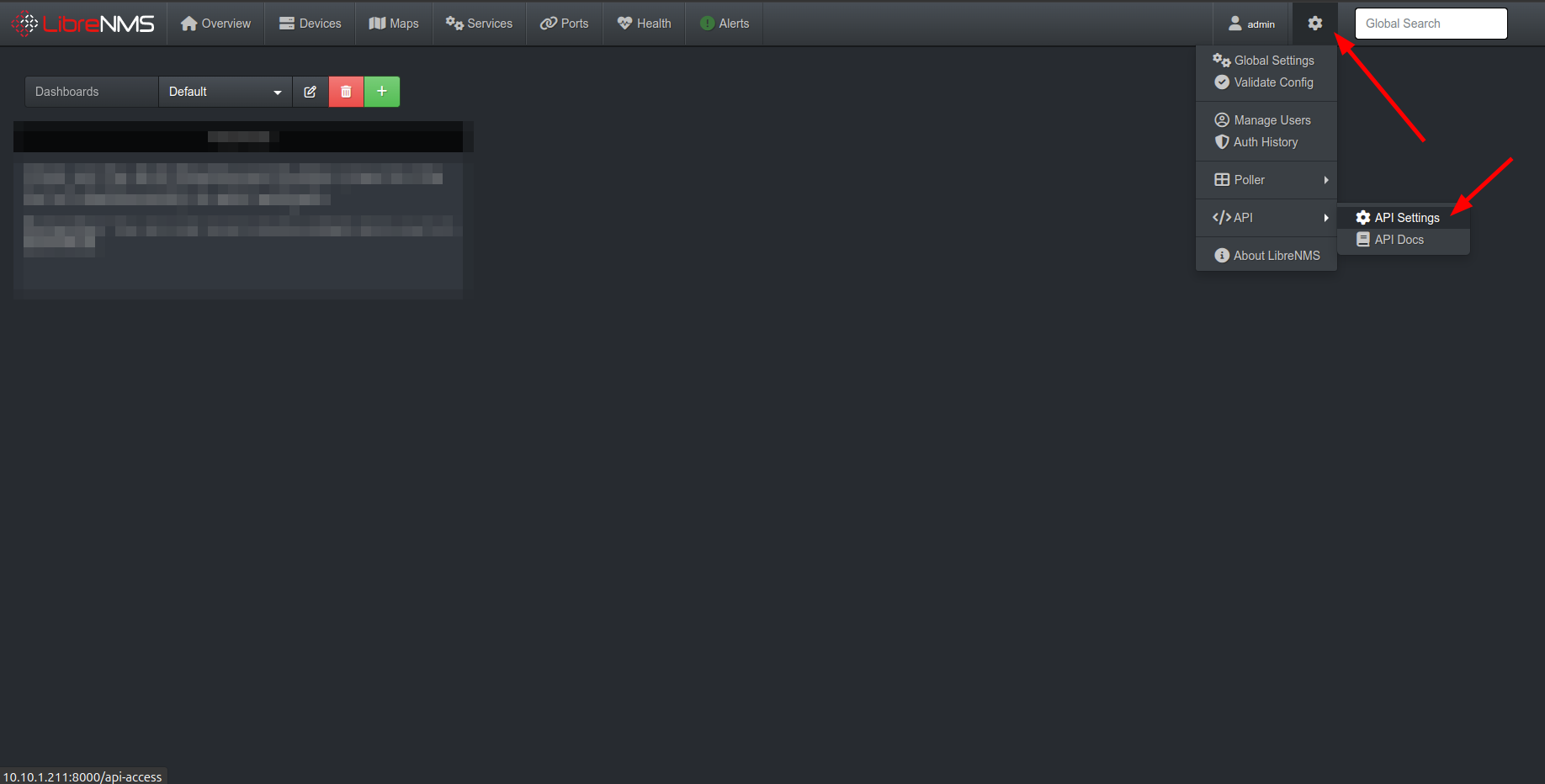
- 点击
Create API access token生成新的 API 密钥。
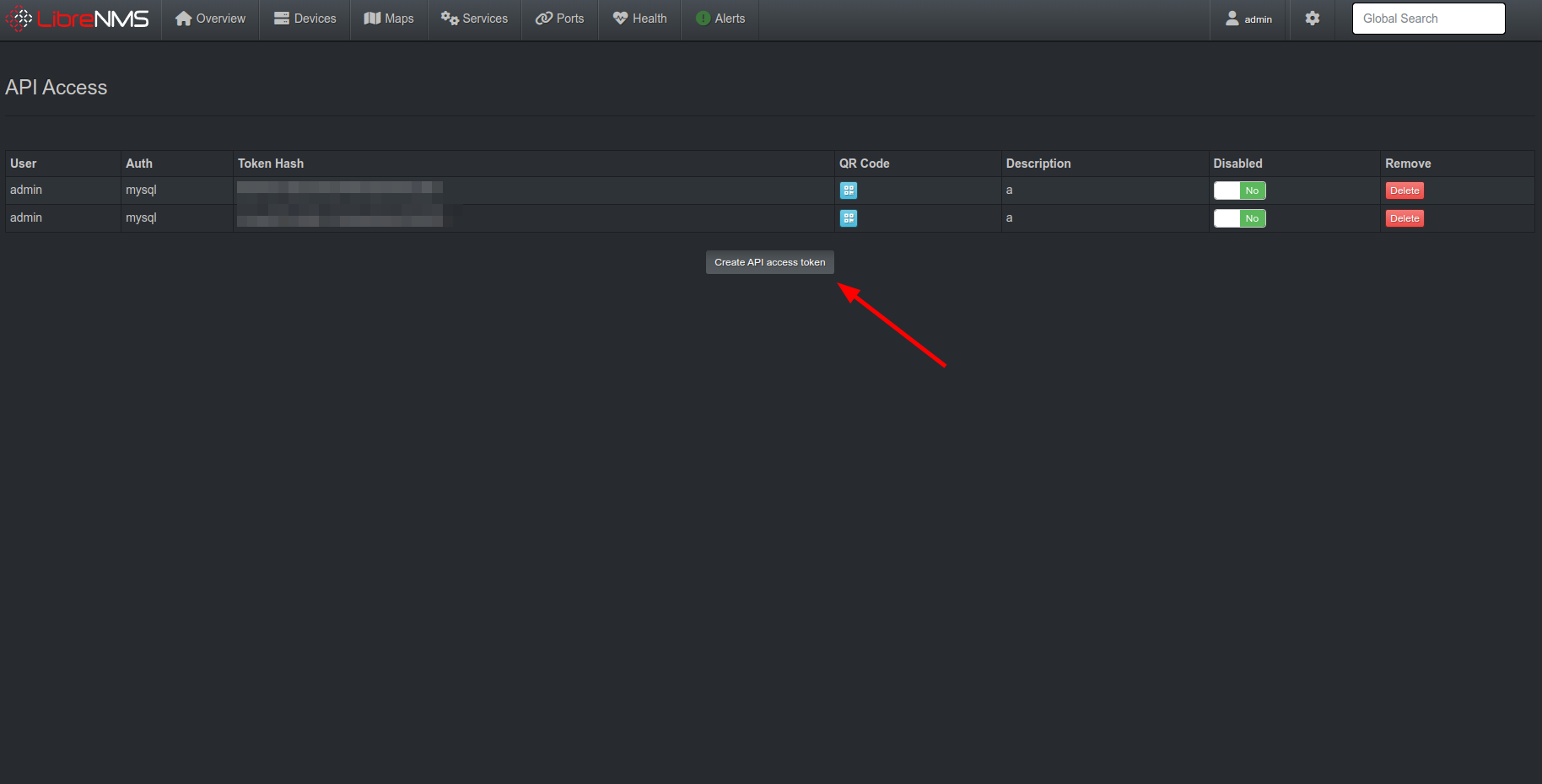
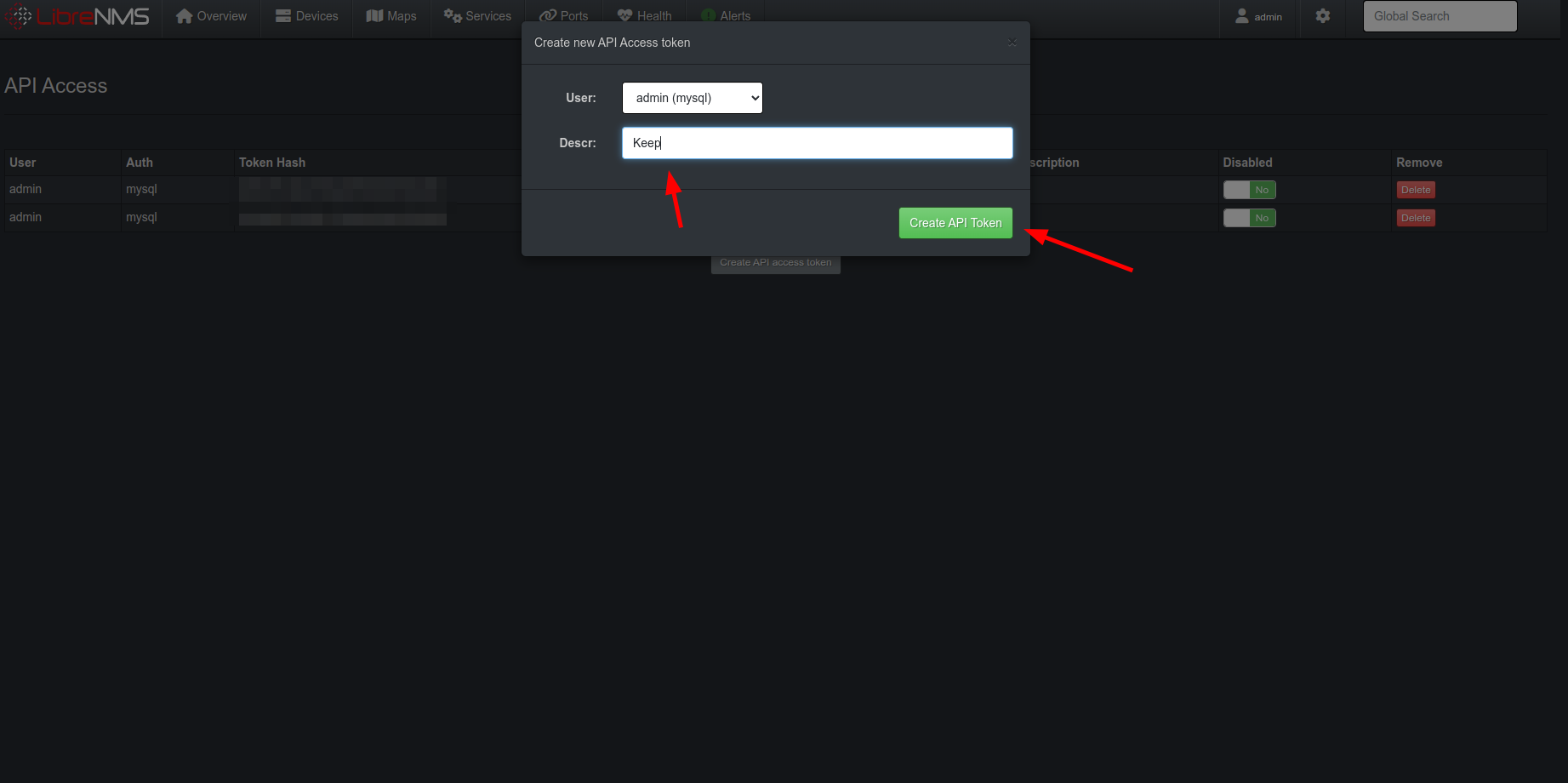
- 为 API 密钥提供描述,然后点击
Create API Token。
Webhooks 集成
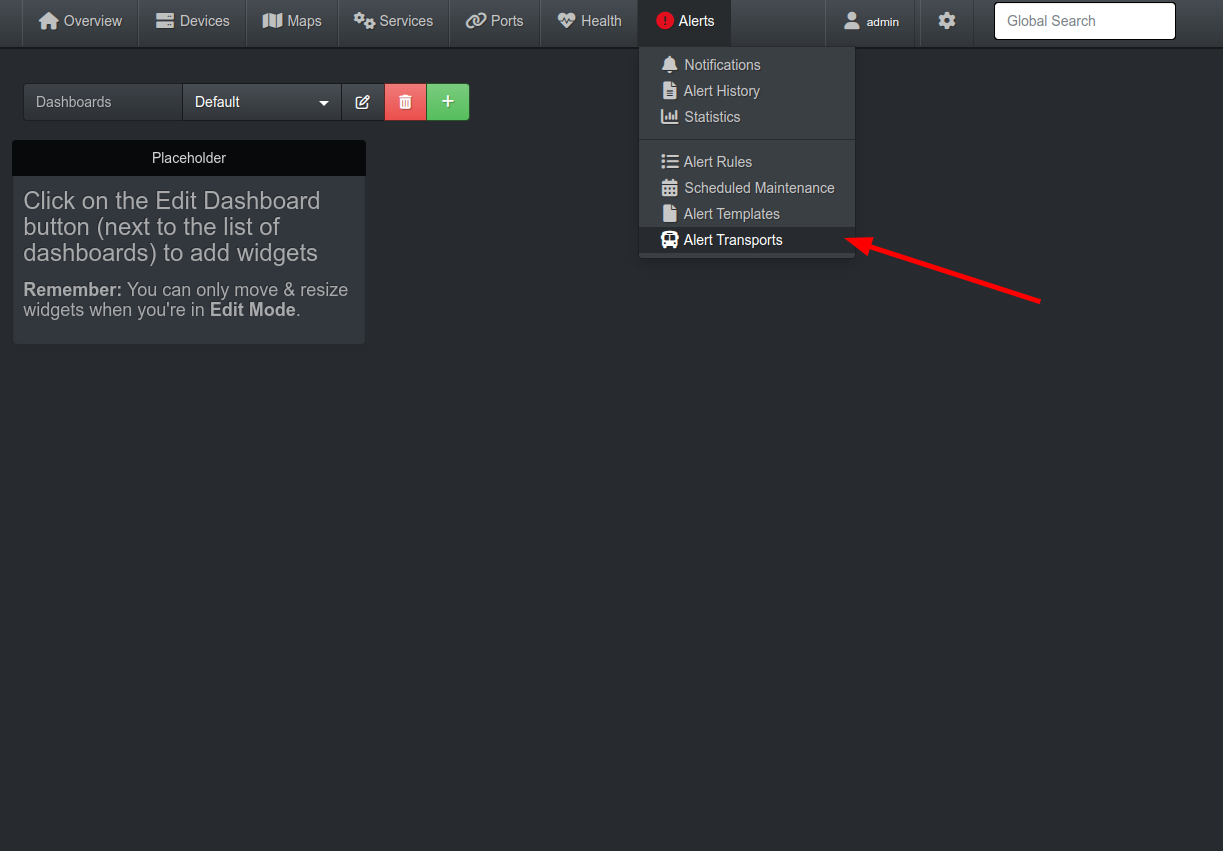
- 打开 LibreNMS 仪表板,打开导航栏中的
Alerts选项卡,点击Alert Transports。
点击
Create add transport,将Transport type选择为API。将API Method选择为POST。将
API URL填写为 https://api.keephq.dev/alerts/event/libre_nms。
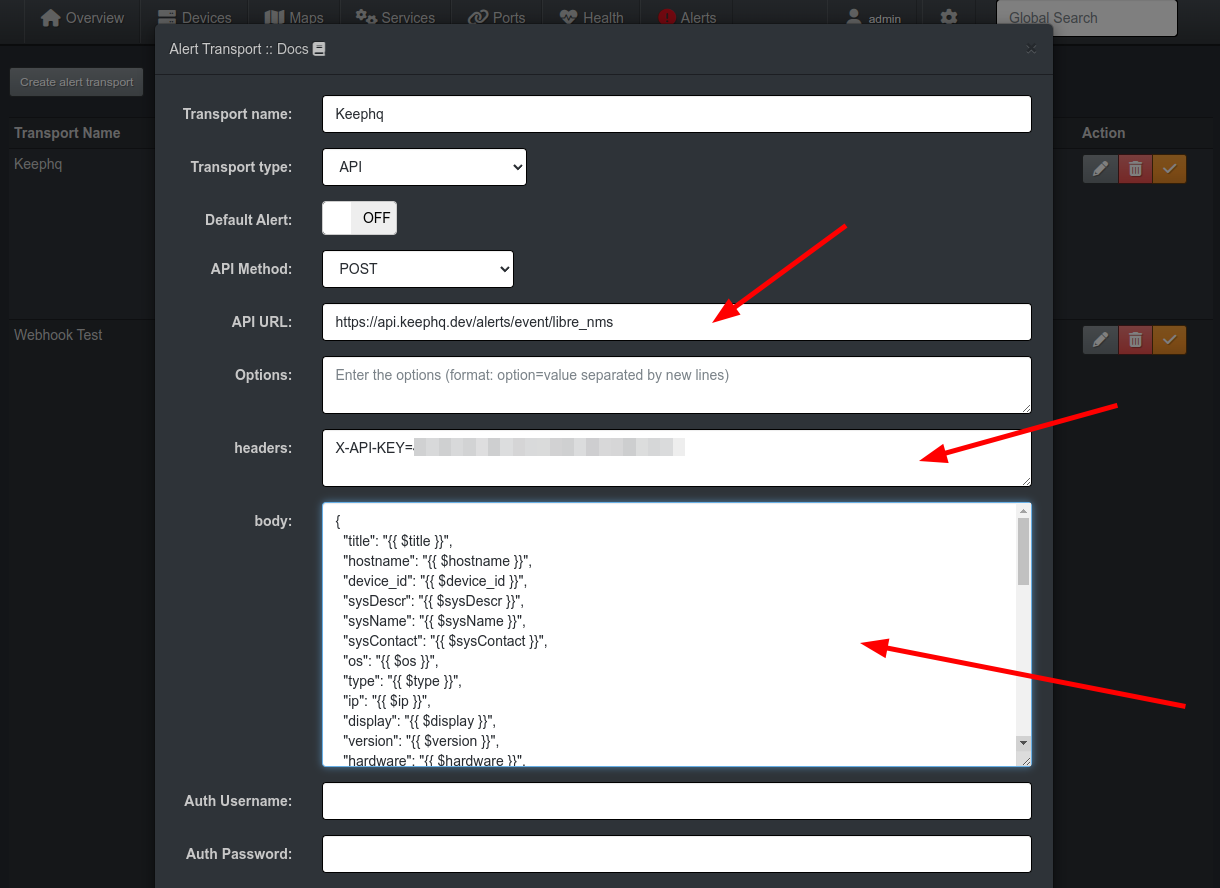
- 复制下面的 JSON 并粘贴到
body字段中。
json
{
  "title": "{{ $title }}",
  "hostname": "{{ $hostname }}",
  "device_id": "{{ $device_id }}",
  "sysDescr": "{{ $sysDescr }}",
  "sysName": "{{ $sysName }}",
  "sysContact": "{{ $sysContact }}",
  "os": "{{ $os }}",
  "type": "{{ $type }}",
  "ip": "{{ $ip }}",
  "display": "{{ $display }}",
  "version": "{{ $version }}",
  "hardware": "{{ $hardware }}",
  "features": "{{ $features }}",
  "serial": "{{ $serial }}",
  "status": "{{ $status }}",
  "status_reason": "{{ $status_reason }}",
  "location": "{{ $location }}",
  "description": "{{ $description }}",
  "notes": "{{ $notes }}",
  "uptime": "{{ $uptime }}",
  "uptime_short": "{{ $uptime_short }}",
  "uptime_long": "{{ $uptime_long }}",
  "elapsed": "{{ $elapsed }}",
  "alerted": "{{ $alerted }}",
  "alert_id": "{{ $alert_id }}",
  "alert_notes": "{{ $alert_notes }}",
  "proc": "{{ $proc }}",
  "rule_id": "{{ $rule_id }}",
  "id": "{{ $id }}",
  "faults": "{{ $faults }}",
  "uid": "{{ $uid }}",
  "severity": "{{ $severity }}",
  "rule": "{{ $rule }}",
  "name": "{{ $name }}",
  "string": "{{ $string }}",
  "timestamp": "{{ $timestamp }}",
  "contacts": "{{ $contacts }}",
  "state": "{{ $state }}",
  "msg": "{{ $msg }}",
  "builder": "{{ $builder }}"
}
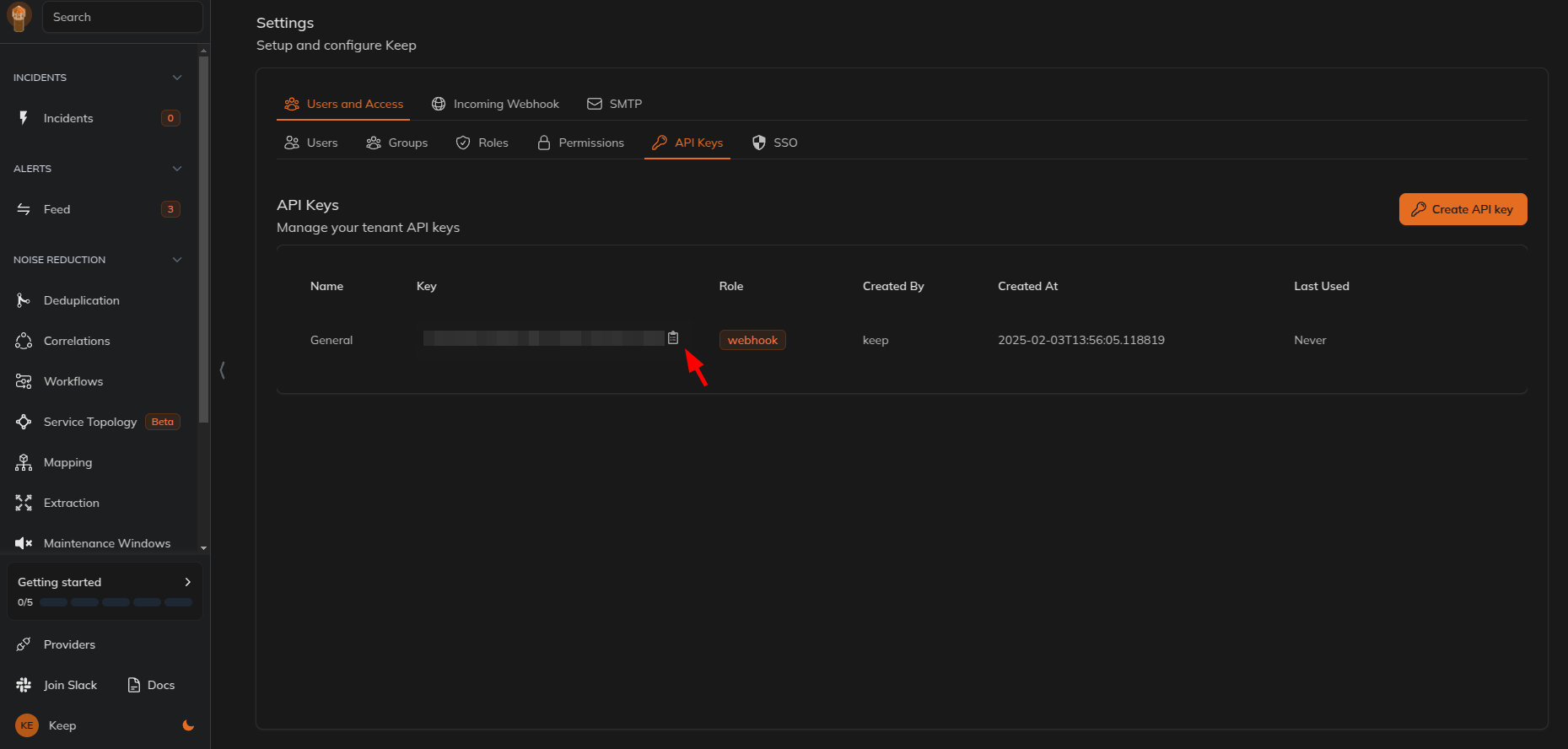
按照以下步骤在 Keep 中创建新的 API 密钥。
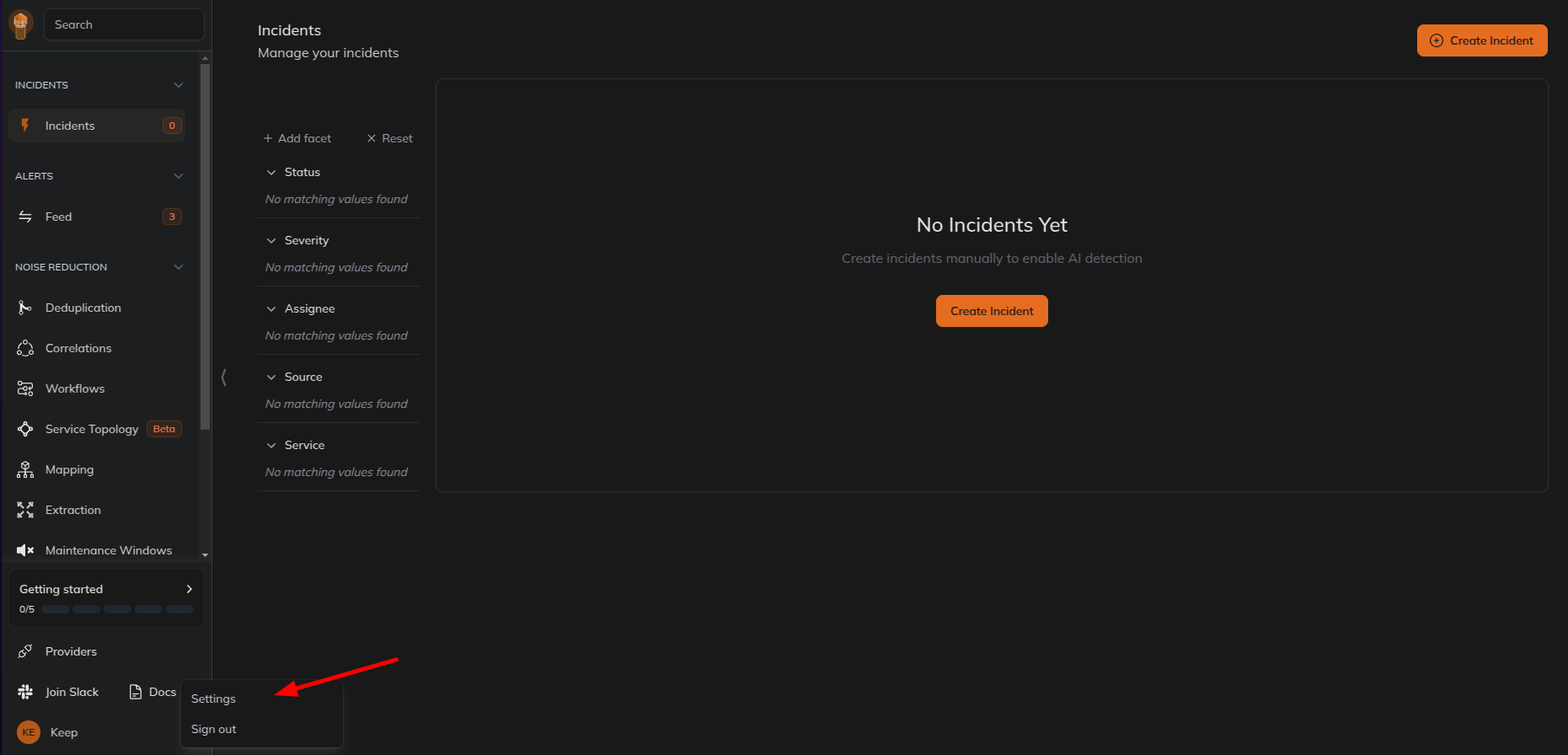
进入 Keep 仪表板,点击左下角的个人资料图标,点击
Settings。
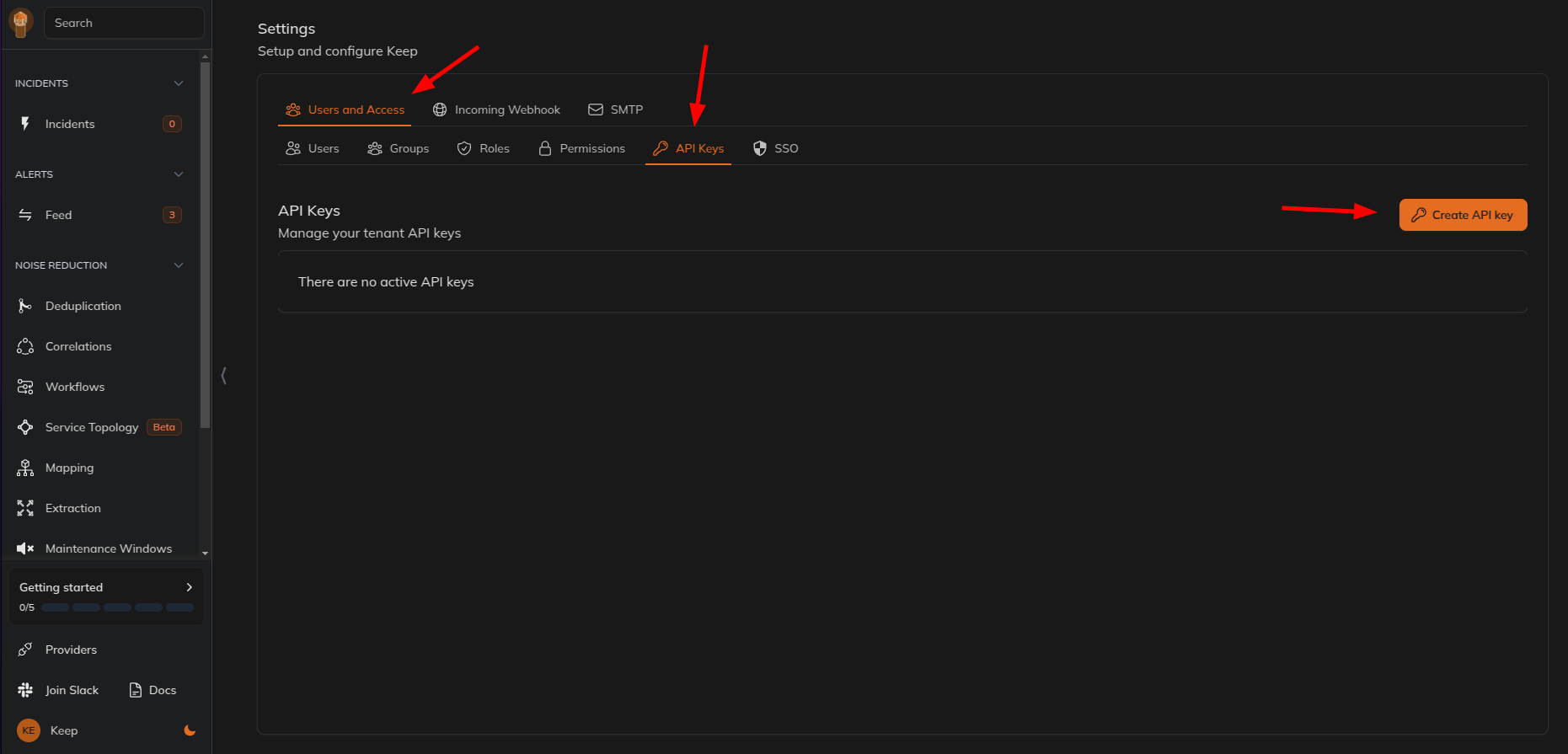
- 选择
Users and Access选项卡,然后选择API Keys选项卡,创建一个新的 API 密钥。
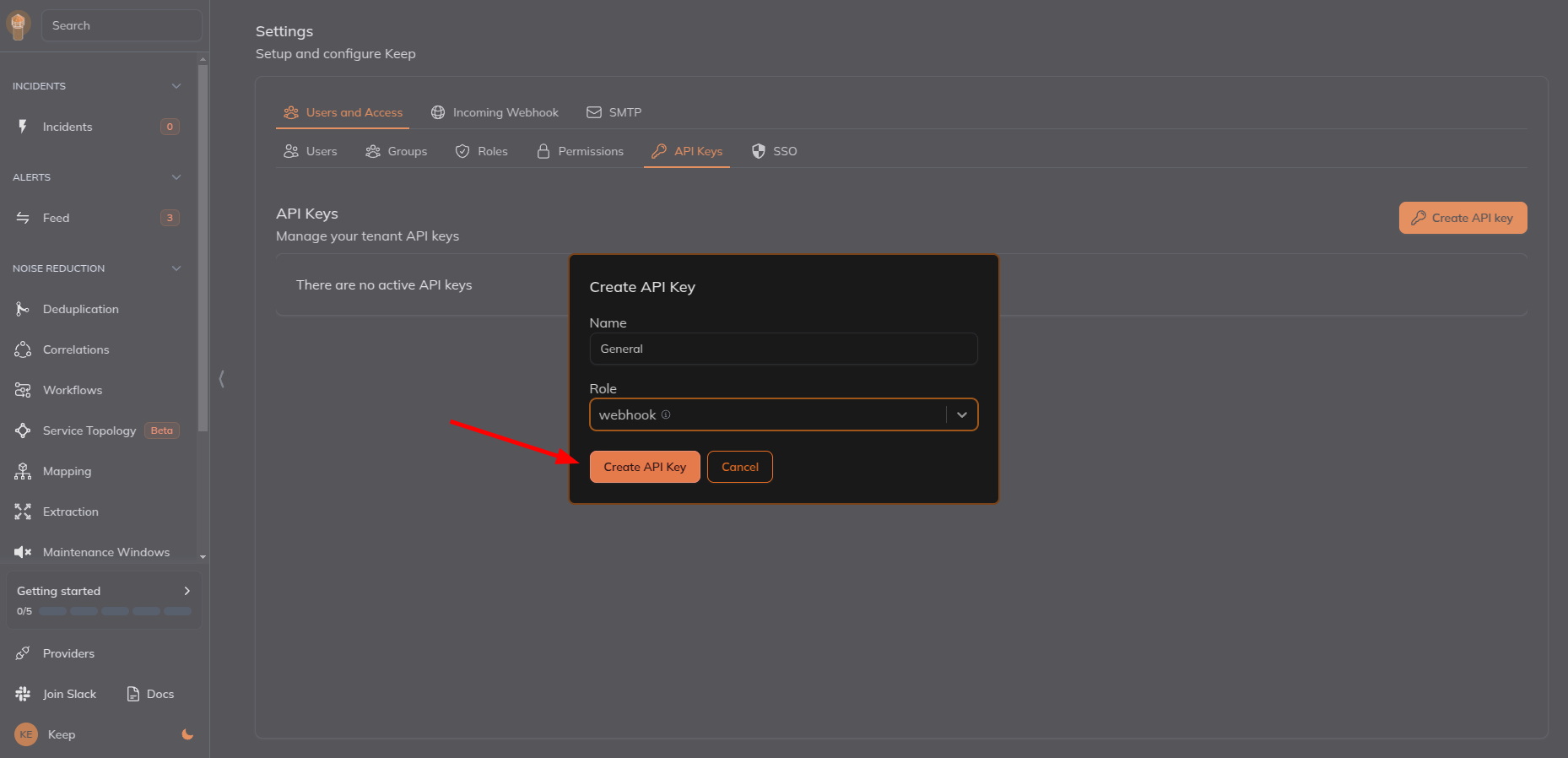
- 提供名称,选择角色为
webhook,然后点击Create API Key。
- 复制 API 密钥。
- 添加一个新的 header,key 为
X-API-KEY,在 Keep 中创建一个新的 API 密钥,并将其作为值粘贴,然后保存 webhook。
保存 webhook。
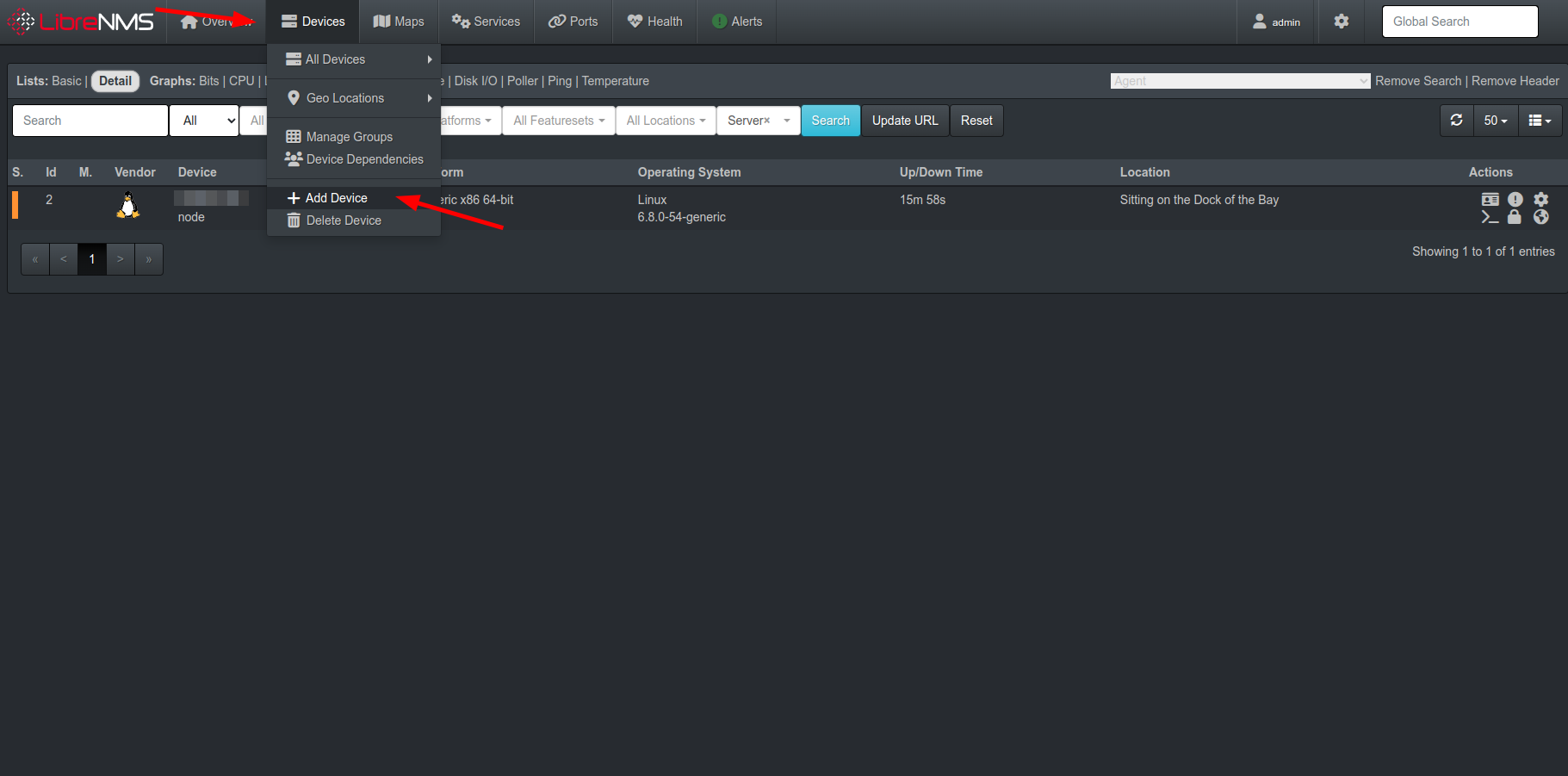
您可以从 LibreNMS 仪表板的 Devices 选项卡添加设备,并选择您创建的告警传输。
- 现在,您将在 Keep 中收到告警。